A professional workspace for healthcare case management

Healthcare teams need a reliable way to collect referrals, coordinate care, document follow-ups, and monitor outcomes. CubeDrive helps organizations create case management applications that match their intake process, team responsibilities, reporting needs, and operational rules.

Patient Management

Maintain organized client profiles with demographics, history, appointments, treatment plans, referral details, and follow-up records.

Coordinator Management

Assign responsibilities, track ownership, and help case managers coordinate each client's care journey across teams and service providers.

Task Management

Create, assign, and track care tasks such as follow-up appointments, document requests, assessment reviews, and next-step reminders.

Customizable Forms

Capture referral information, assessments, case notes, signatures, and service details through forms tailored to your organization.

Data Import/Export

Import and export records in Excel or PDF formats so case data can be reviewed, shared internally, and prepared for reporting.

Care Plan Management

Create and update care plans, treatment goals, interventions, progress notes, and outcome records in one coordinated workspace.

Reporting and Analytics

Monitor referral volume, case status, service outcomes, response times, and operational trends through dashboards and reports.

Access Control

Protect sensitive case information with role-based access, account security options, and controlled visibility for staff and partners.

Appointment Management

Coordinate bookings, staff schedules, reminders, and upcoming visits to support smoother client flow and fewer missed follow-ups.


Digital referral intake

Preview the Online Referral Form example.

Healthcare, social service, and legal case management workflows often begin with a referral form. The form captures the information needed to route a client or patient to the right professional, service, or agency for additional support.

CubeDrive gives healthcare organizations a straightforward drag-and-drop way to create customized referral forms, collect signatures, and move each submission into a managed case workflow.
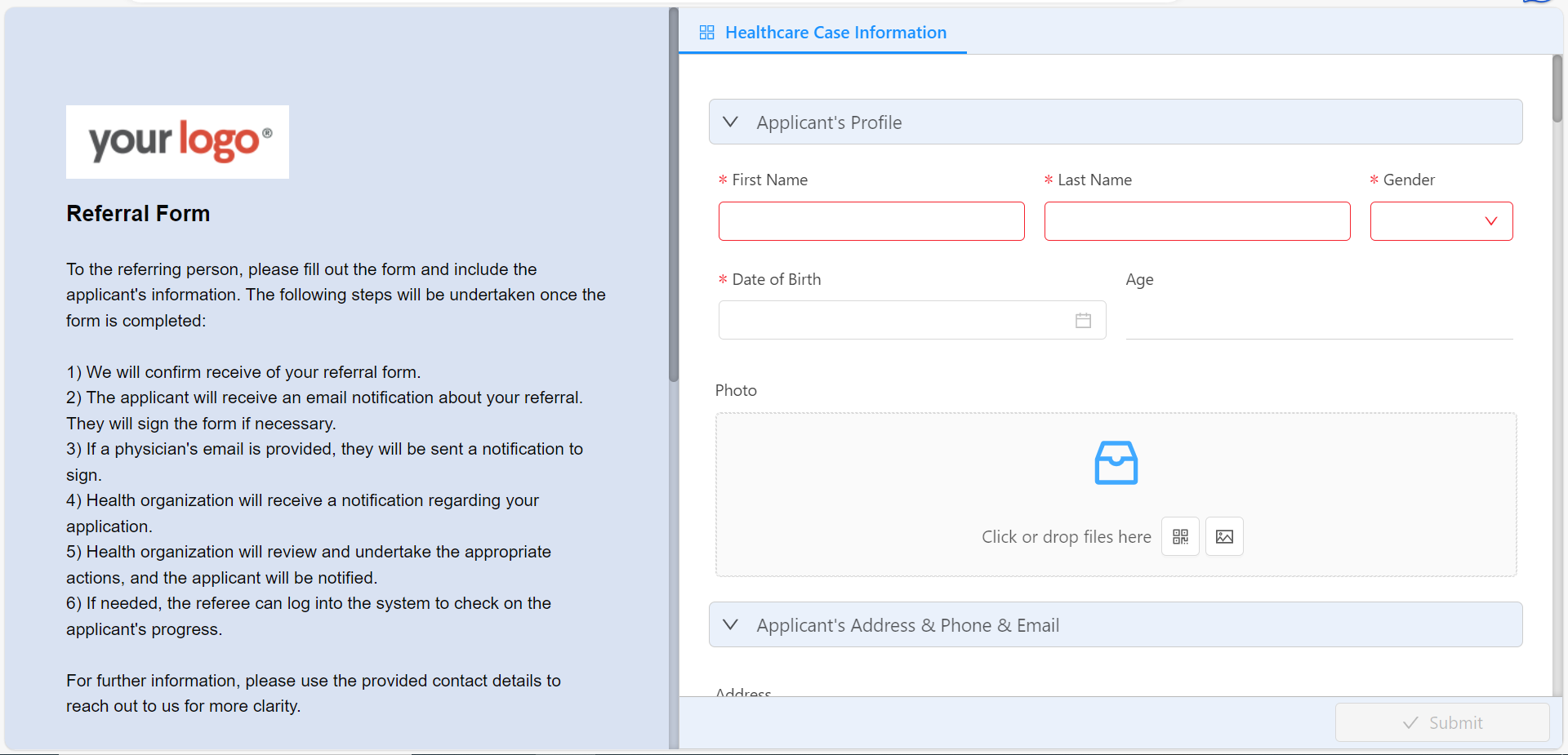
A dynamic workflow can be attached to the referral form to process the following steps:

  • Confirm receipt: Send an email confirmation to the referring person after the form is submitted.
  • Notify the applicant: Ask the applicant or client to review and sign the referral form.
  • Email the physician: Send a signature request when a physician's email address is provided.
  • Notify the care team: Alert the healthcare organization when a new referral is ready for review.
  • Support referral review: Let authorized staff sign in to check case progress and update next steps.

Case dashboard and client records

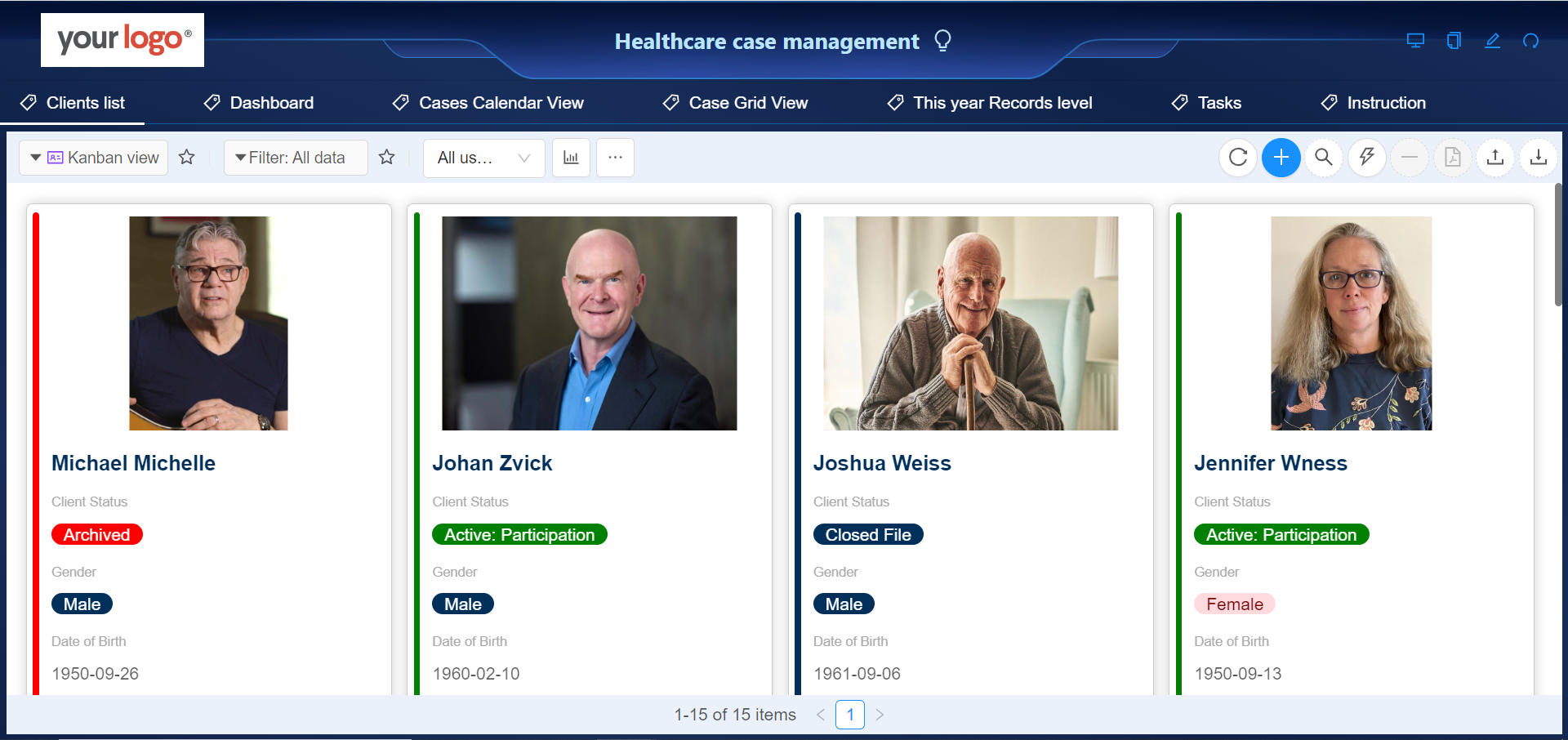
Healthcare case management requires coordinated intake, assessment, planning, implementation, and follow-up. CubeDrive helps teams organize client cases in a searchable online workspace, so staff can see case status, ownership, and important details quickly.

Teams can build and adjust these online applications with CubeDrive's drag-and-drop tools.
Staff can open a client record to review submitted information, related notes, assigned actions, and case progress. The client status field helps everyone understand where the application stands.
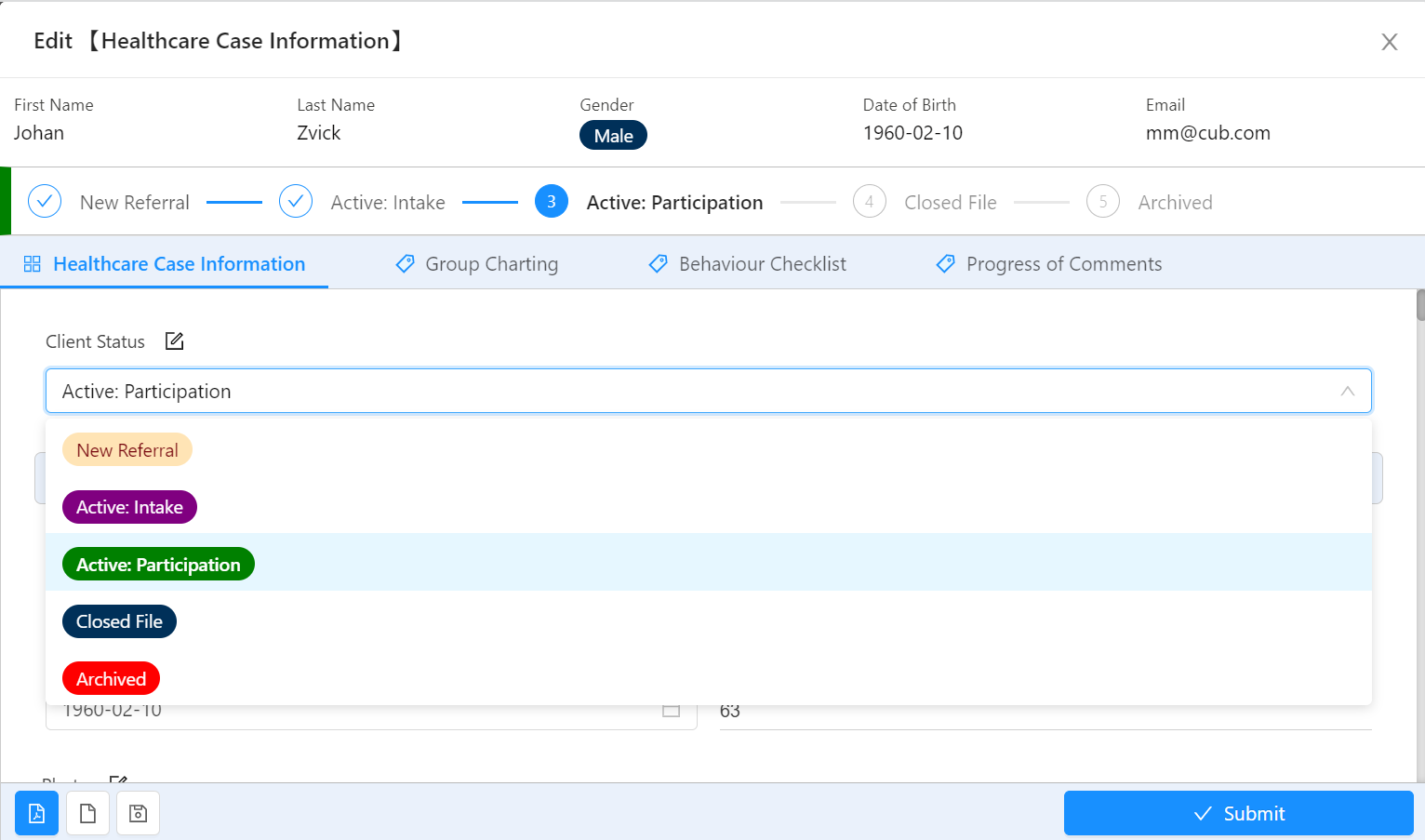
Common case management tools include:

  • Shared charting: Multiple authorized providers can contribute to and review a single client record.
  • Behavior checklist: Case managers can track behaviors, skills, needs, and support items through structured checklists.
  • Progress notes: Staff can document the client's journey, track changes, and support continuity of care.

Client case data analysis

Healthcare case management involves collecting and analyzing data to assess and improve patient care, track outcomes, and make informed decisions. Analyzing data in healthcare case management can help identify trends, evaluate the effectiveness of interventions, and enhance patient outcomes.

CubeDrive provides tools that help organizations analyze existing case data:
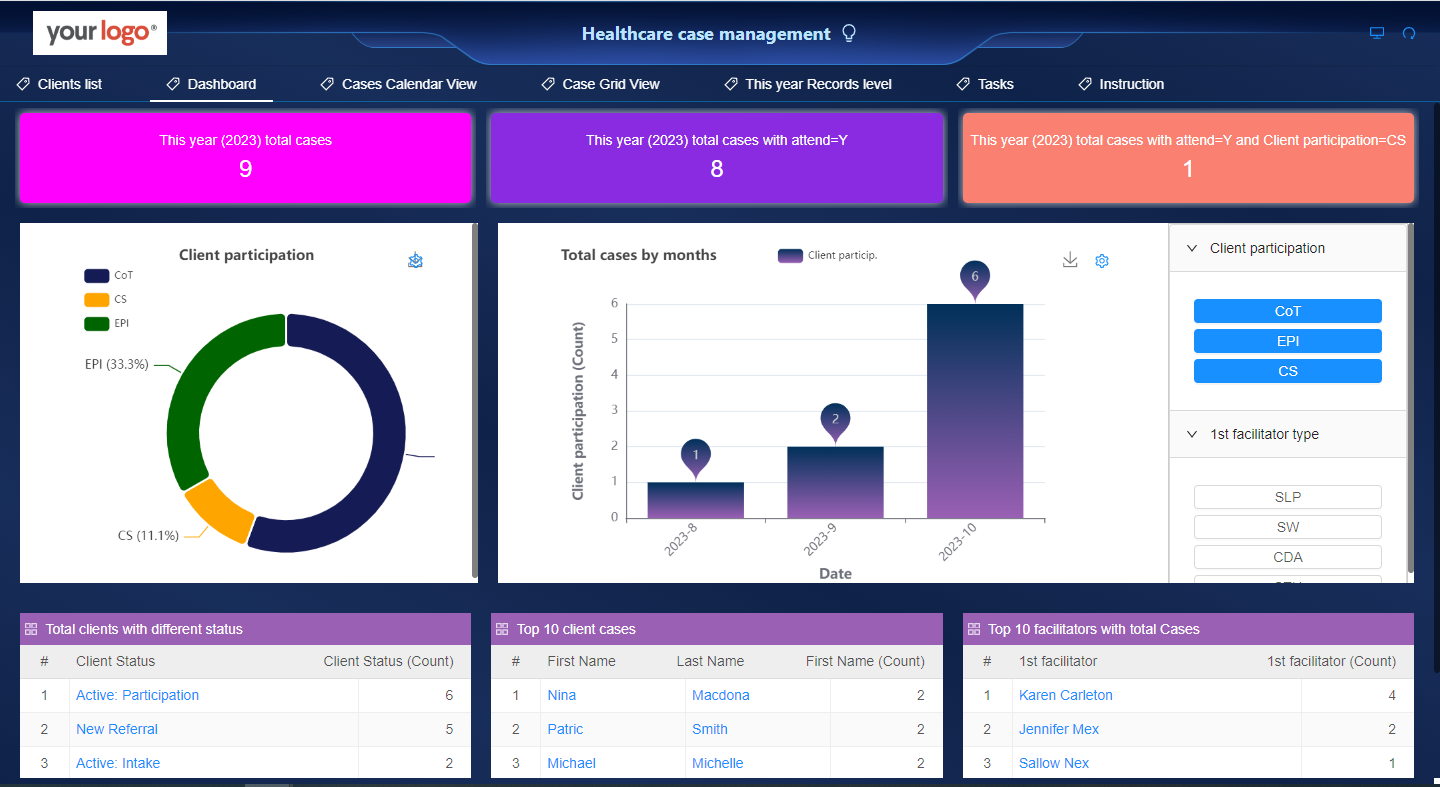
  • Data summary: Generate summary reports from form submissions to identify volume, status, and outcome patterns.
  • Charts: Visualize referral and case data with line, bar, pie, and other chart formats.
  • Top records: Review high-priority or frequently occurring entries in the form data.
  • Statistical charts: Identify trends, outliers, and performance indicators in case activity.
  • HTML editor: Customize report, dashboard, and page content inside the platform.
  • Project plan: Track tasks, resources, milestones, and progress for care-related initiatives.
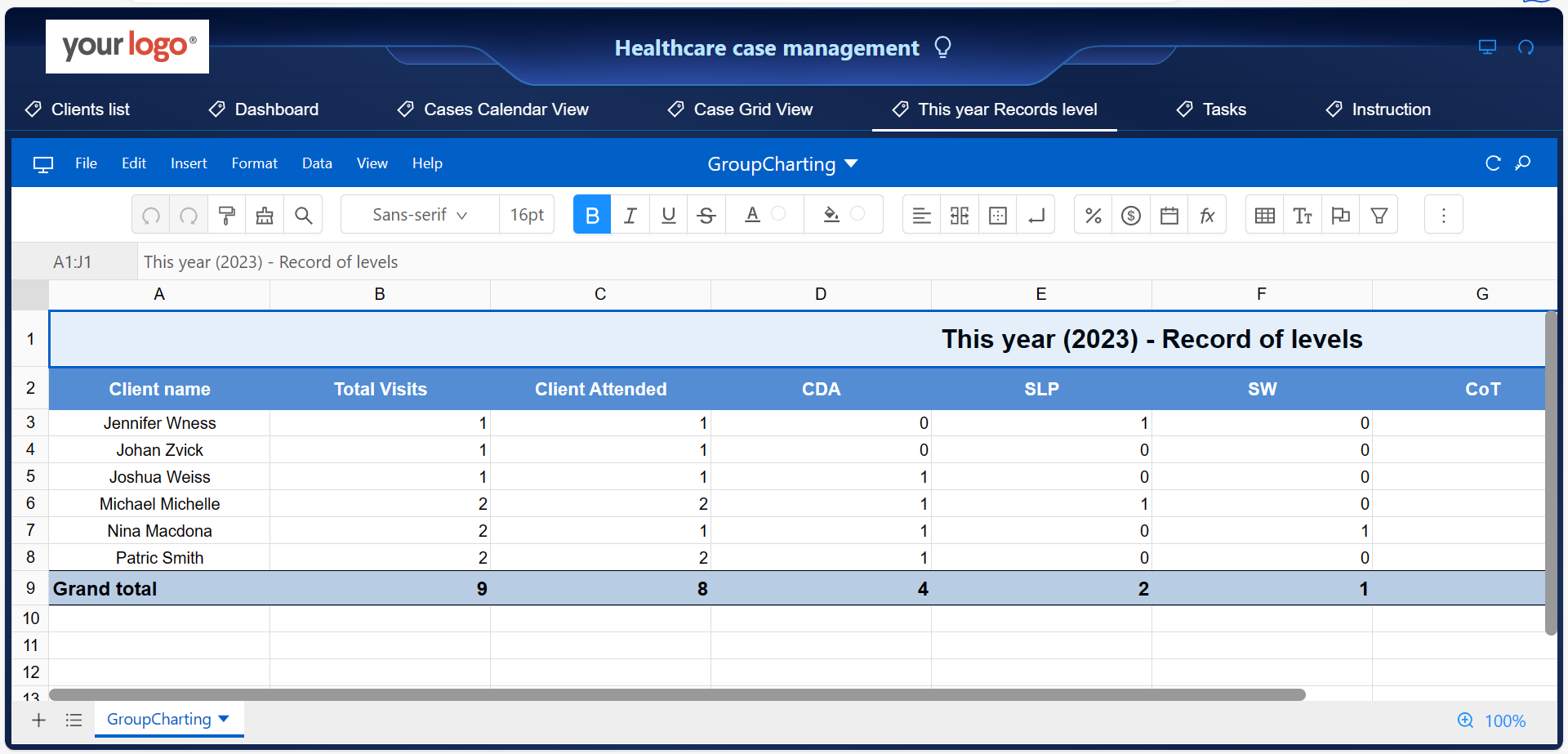
  • Pivot table: Analyze and organize healthcare service data efficiently.

Here is the pivot table analysis based on the collected client case data.