

Book a meeting
This karate membership application was built with the CubeDrive platform. Customers can use this application to create club memberships, calculate payments, and analyze membership data.
Create karate management application
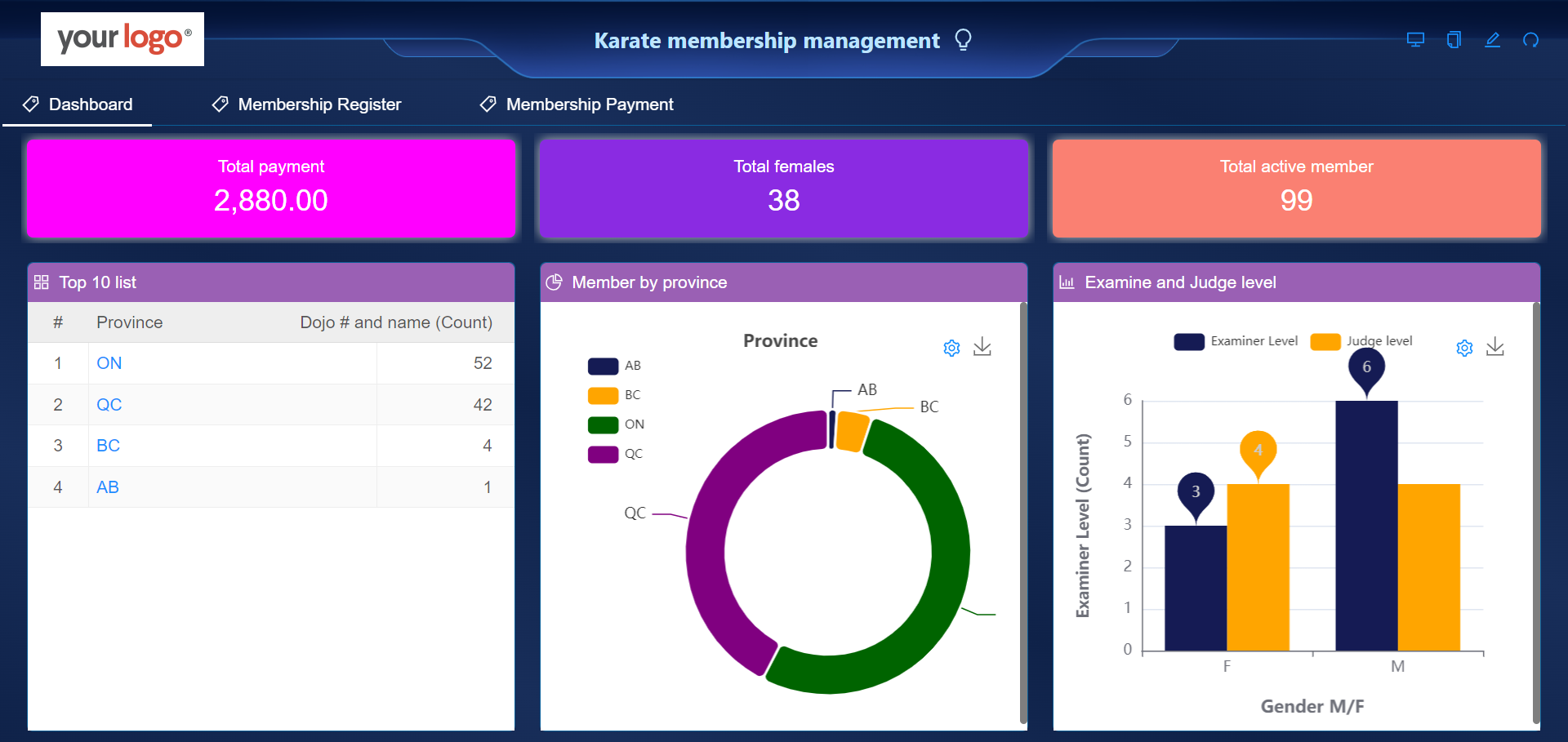
Users can log in to the system with their CubeDrive account. Click the "Create Application" button to start building the application with the drag-and-drop method. The following image shows an existing application generated as a demo.
Create membership form
Users can click Membership Management Template to auto-generate the membership management application. Users can also log in to their CubeDrive account. Click the "Create Form" button to start building a form with the drag-and-drop method. Enter a list of fields in the form and click "Save & Publish" to generate the form online.
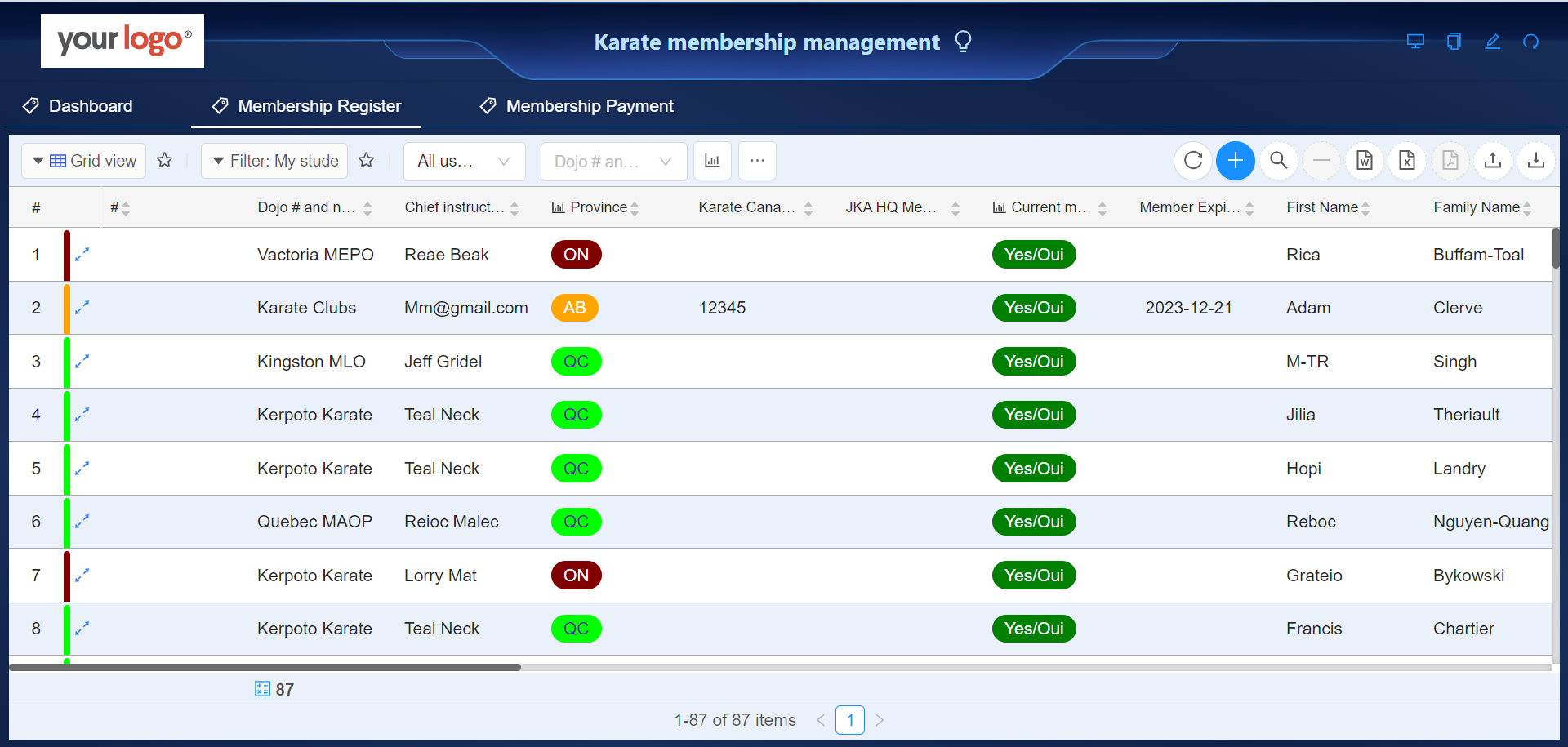
Application managers can assign club managers to the related organization. After that, club managers can log in to the system and access the membership form. The following setting is used to guarantee that each club can only see their own members.
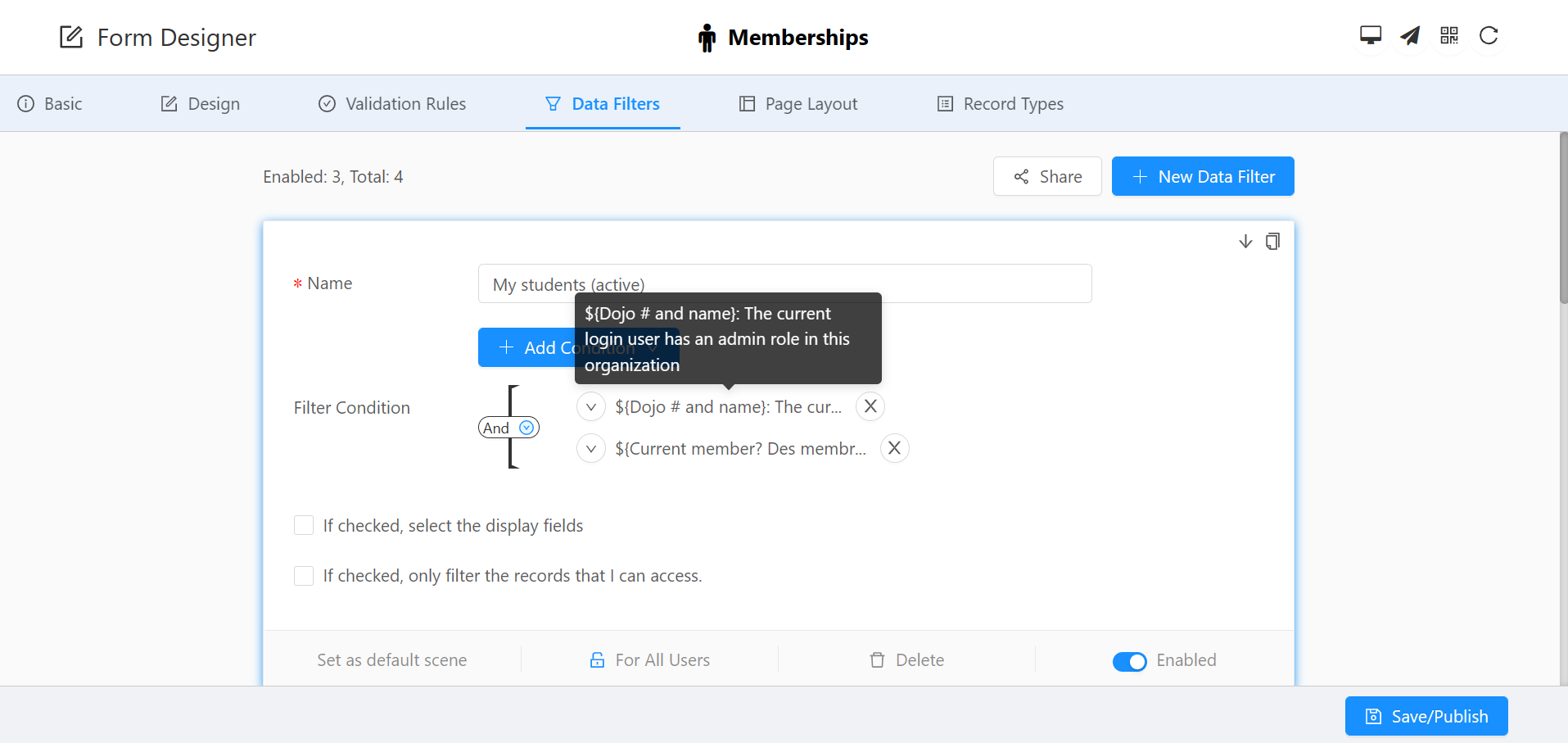 Tip: After setting up "The current login user has an administrator role in this organization", club managers can access their own club members.
Payment management
A payment form is also created to calculate the payment information for each club.
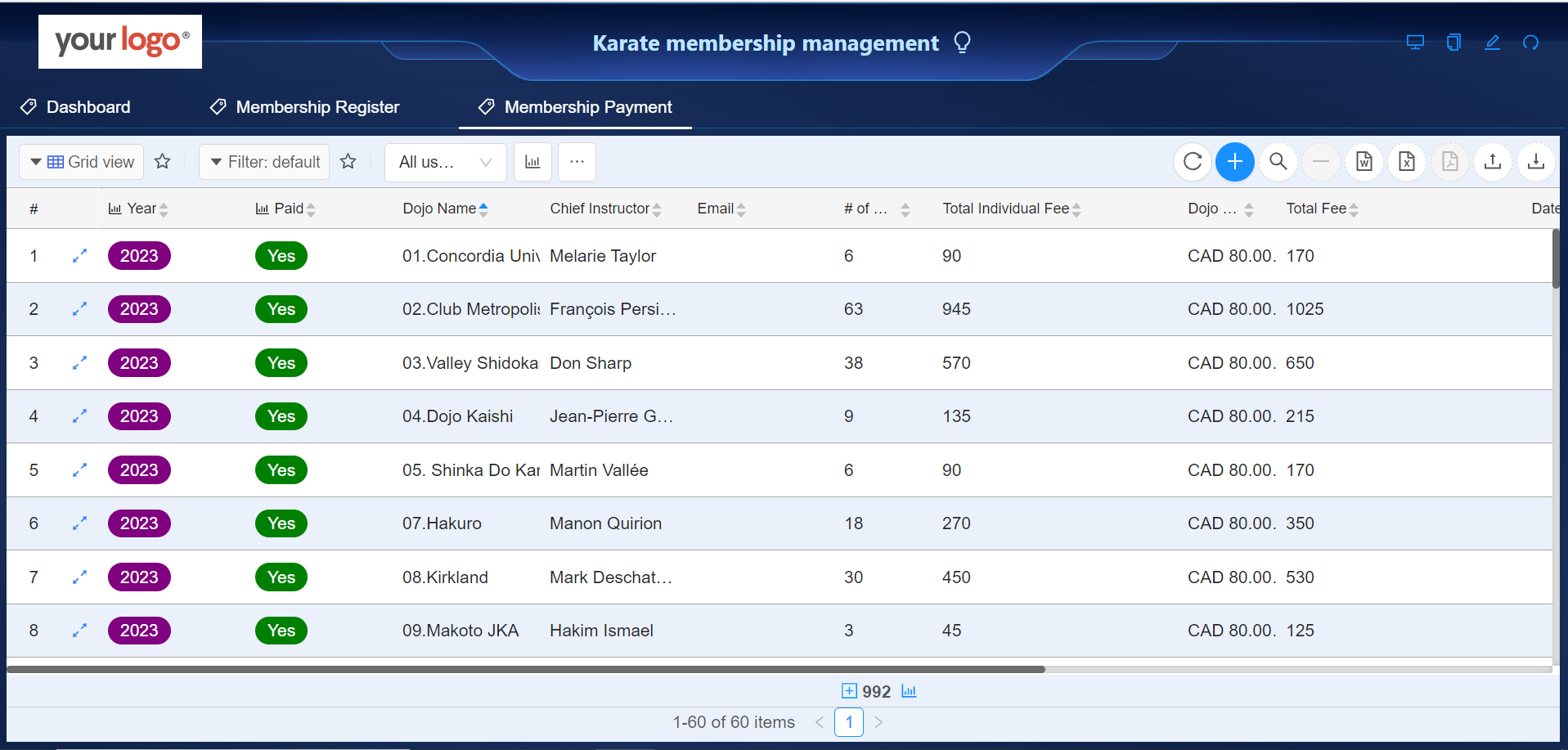
To calculate the total number of members, the payment form is linked to the membership form with the Query Form API.
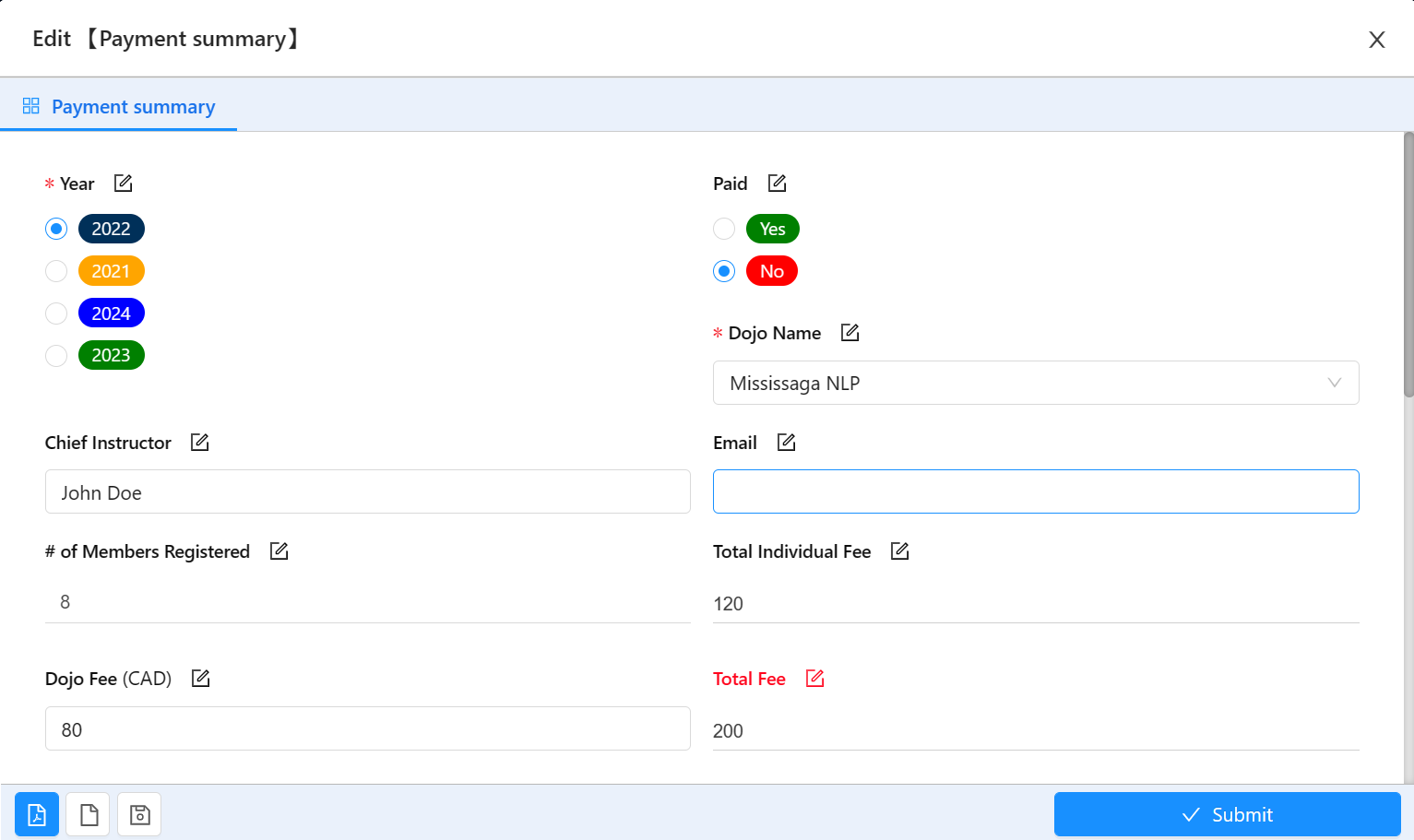 Tip: In the form design, users need to select [Query Form API] for the "# of Members Registered" field in the payment form.
Total Individual Fee is a formula field: =${'# of Members Registered'}*15
Total Fee is a formula field: =${'Total Individual Fee'}+${'Dojo Fee'}

Ready to build your AI-powered CRM solutions?
Schedule a meeting with us today. Our team will help you identify the best AI-driven path to automate your business workflow.
Book a Meeting