

Book a meeting
Procurement is the act of obtaining or purchasing goods or services, typically for business purposes. Procurement is most commonly associated with businesses because companies need to solicit services or purchase goods, usually on a relatively large scale. It can also include the overall procurement process, which is critically important for companies leading up to their final purchasing decision. Companies can be on both sides of the procurement process as buyers or sellers, though here we mainly focus on the side of the soliciting company.
Project purchase procurement includes the following requirements:
Project purchase procurement includes the following forms:
Create purchase procurement application
Users can log in to the system with their CubeDrive account. Click the "Create Application" button to start building the application with the drag-and-drop method or clone an existing application. The following image shows an existing application generated as a demo.
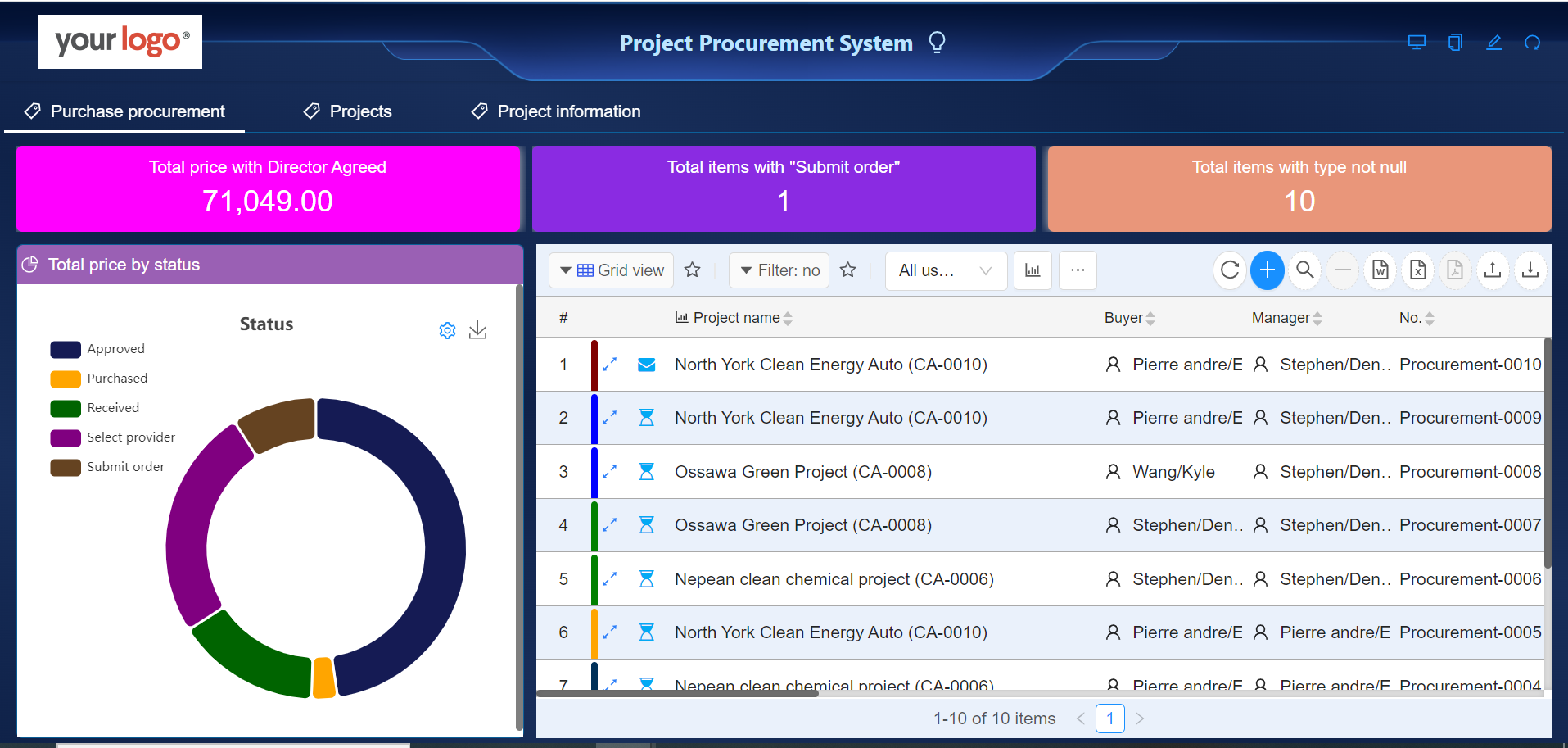
Project purchase procurement
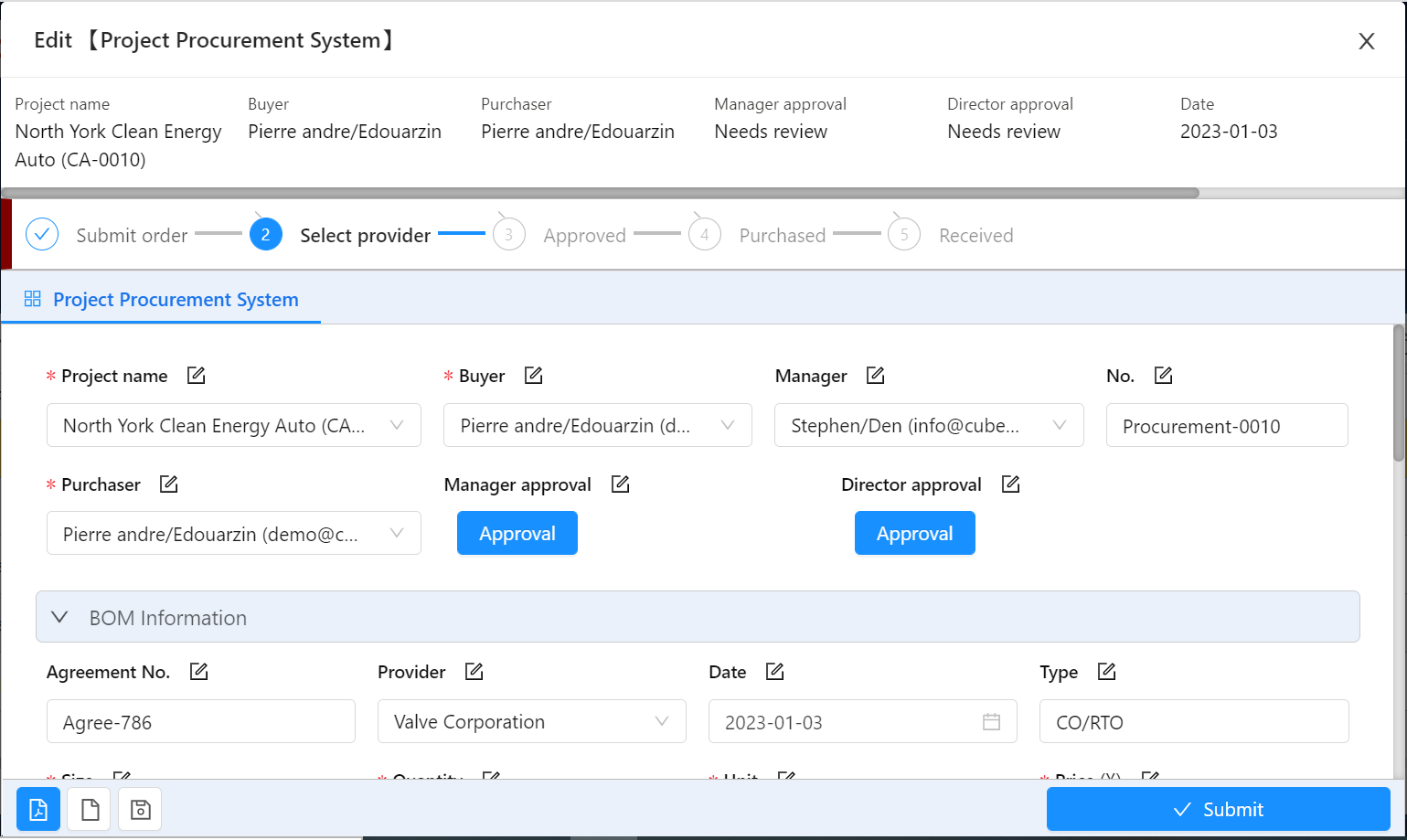
The project purchaser creates a record in this form and enters the purchase information. They also need to select at least two suppliers for price comparison.
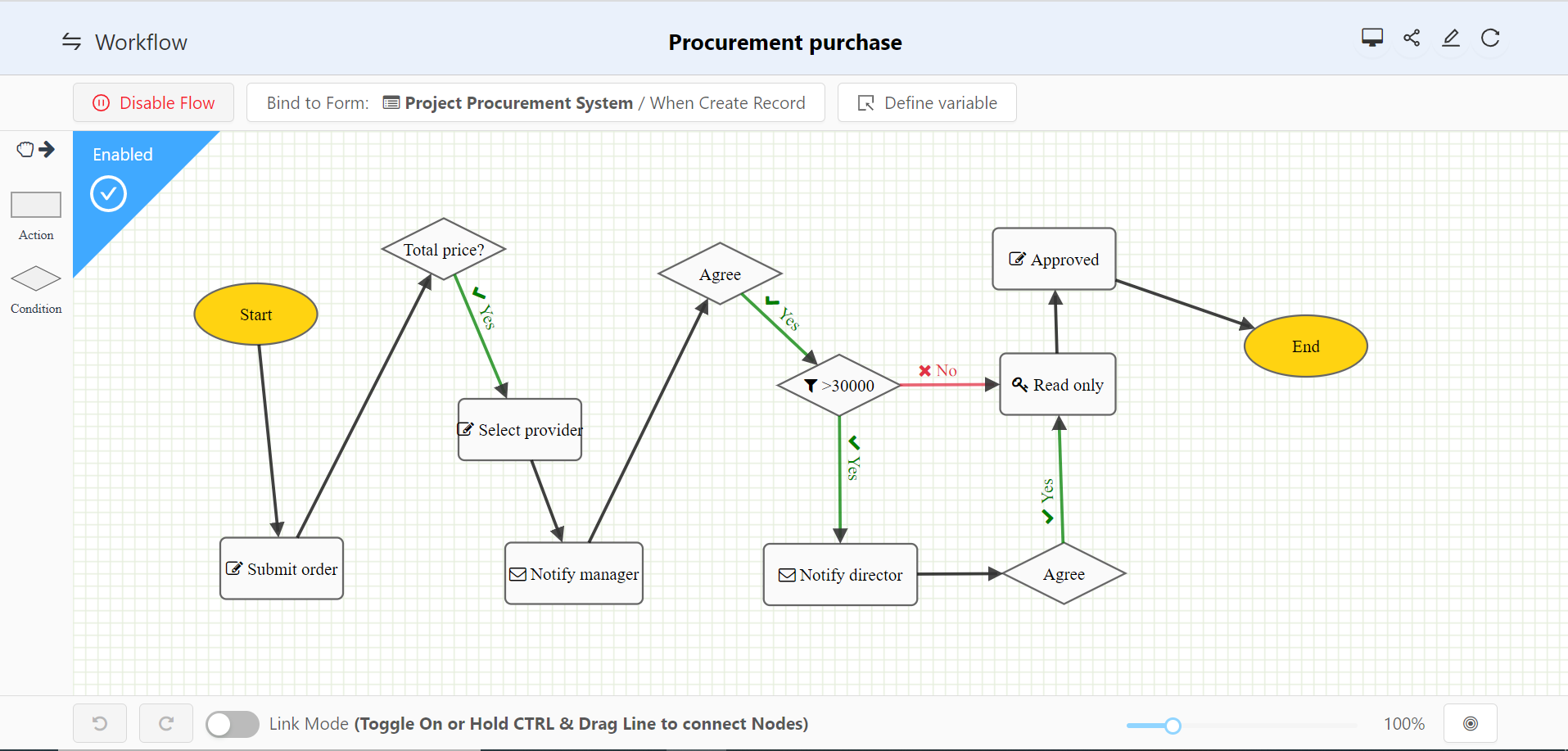
Create purchase workflow
After the user opens the form, they can click the icon and start building the application business logic. Users can configure the workflow and add purchase logic to the system.
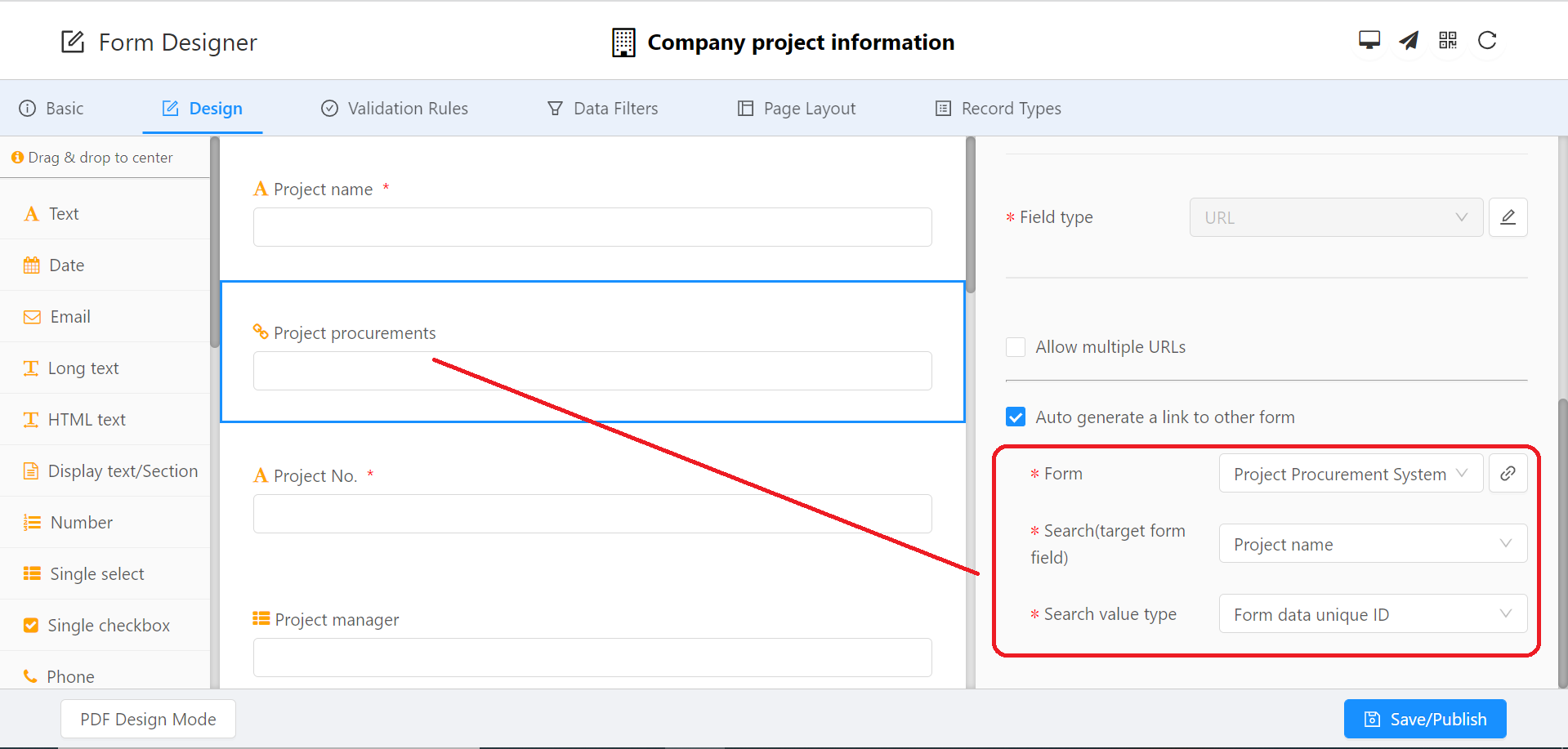
Projects
This lists all projects involved in the purchase process.
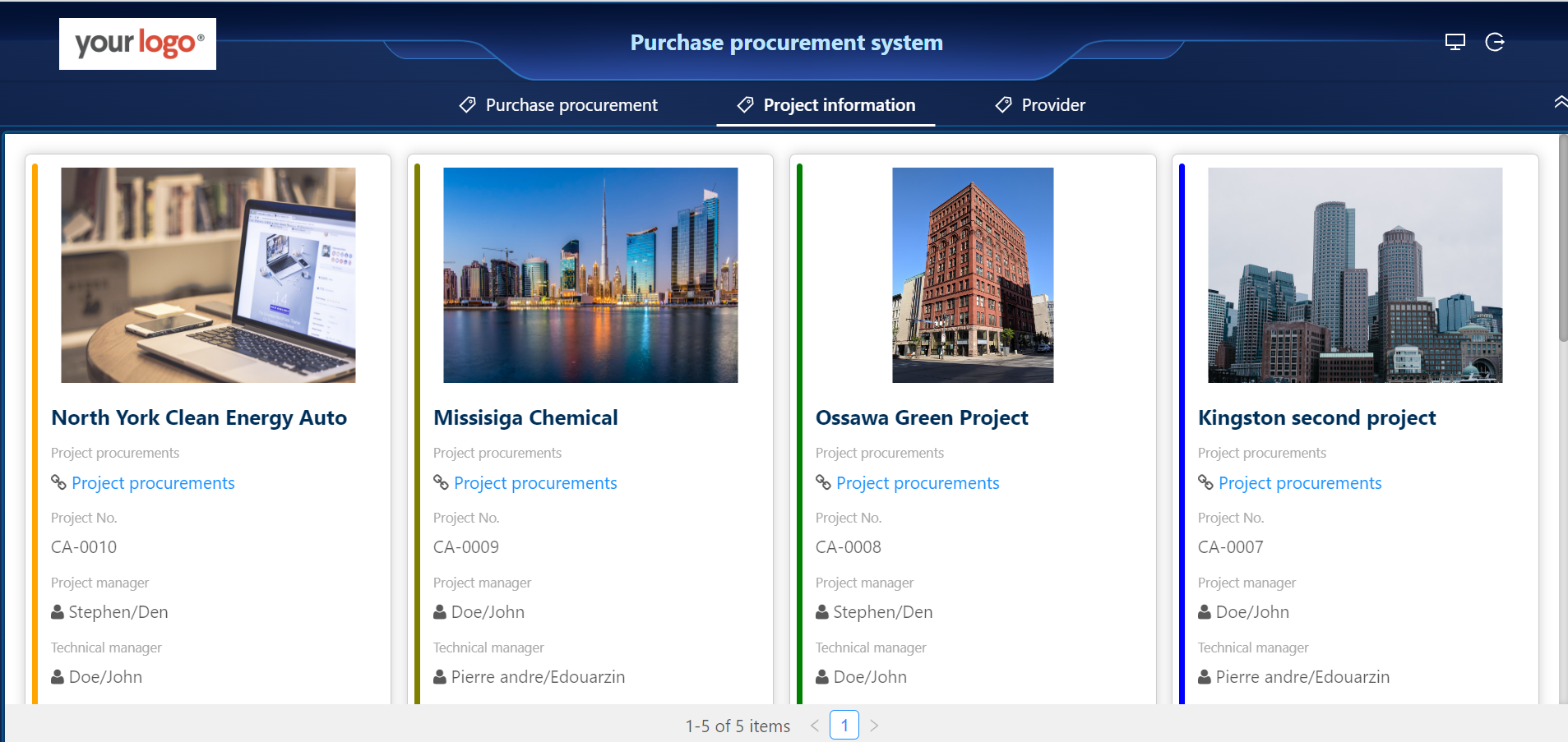 Tip: A URL link can be set up to view all purchases related to this project.
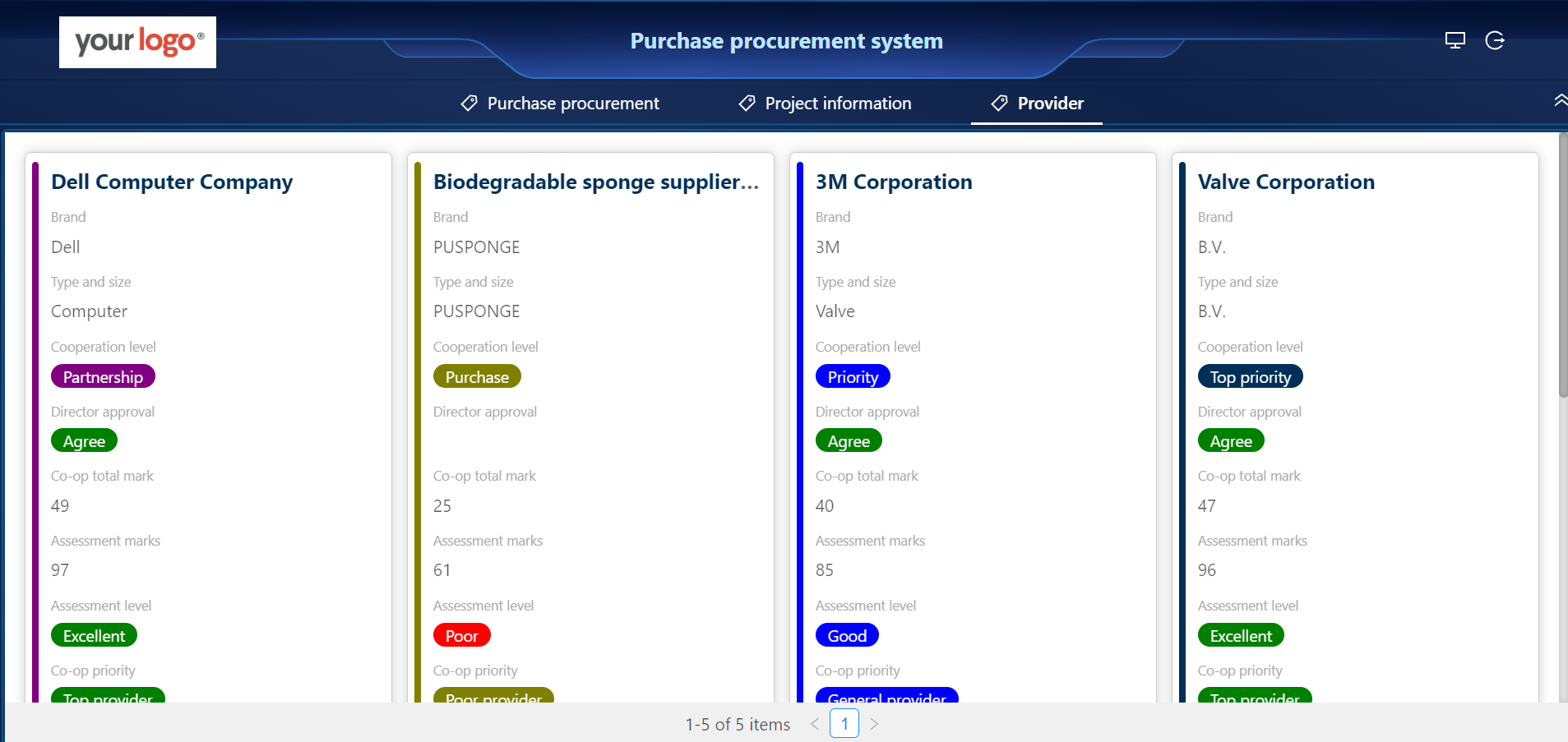
Service providers
Qualified suppliers provide market price comparison information and help the customer choose the final supplier. This form includes the following requirements:

Ready to build your AI-powered CRM solutions?
Schedule a meeting with us today. Our team will help you identify the best AI-driven path to automate your business workflow.
Book a Meeting