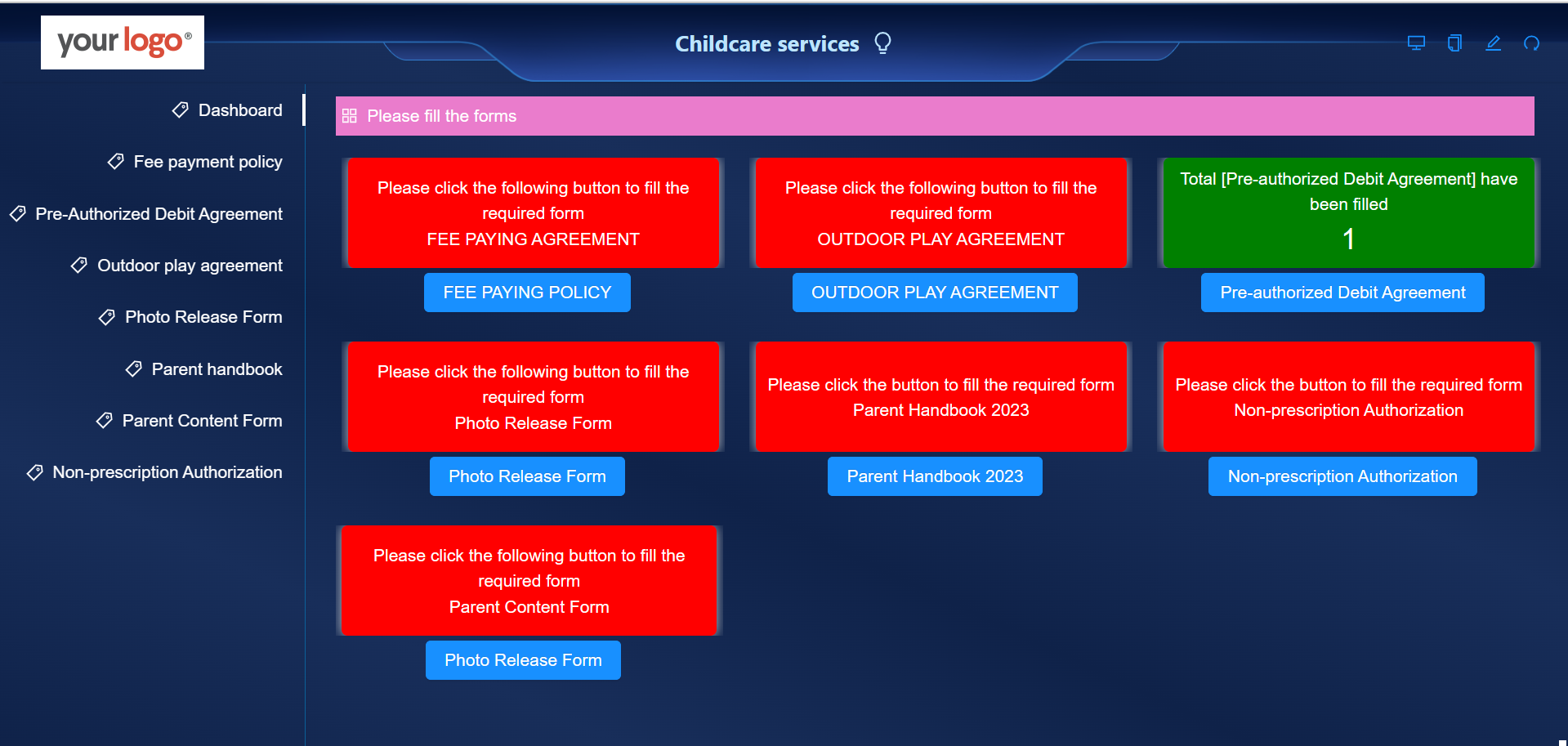
Fee paying policy form
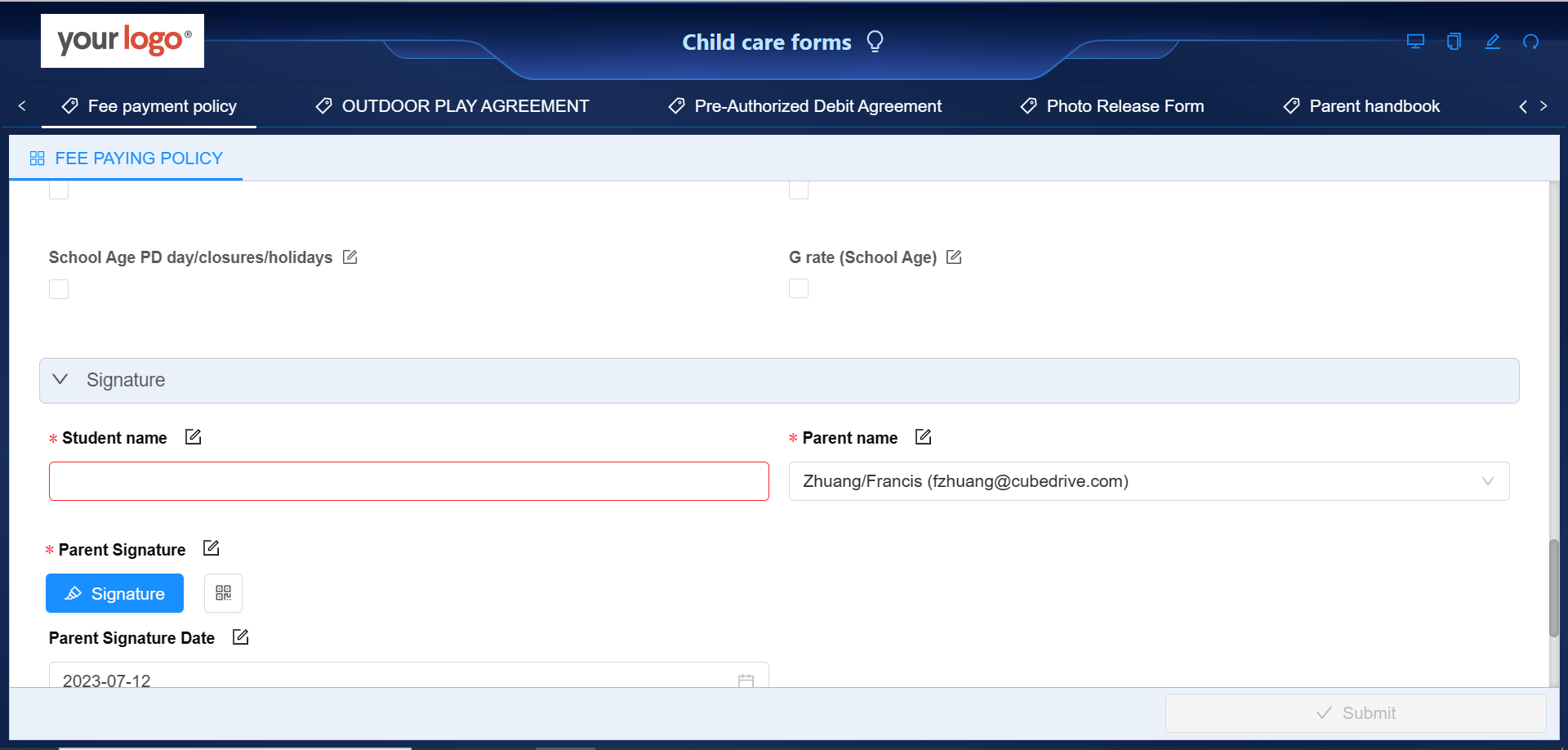
CubeDrive allows childcare centers to dynamically create fee-paying policy forms with the following information.
- Fees: The cost of childcare is $____ per day for full-time care, and $____ for part-time care. Discounts may be available for families with multiple children enrolled. Additional fees may apply for late pickup, special events, field trips, or additional services.
- Billing Period: Fees are to be paid in advance on a weekly, bi-weekly, or monthly basis, depending on the agreed-upon payment schedule.
- Late Payment: If payment is not received by the due date, a late fee of $__ will be charged. If payment is not received within __ days of the due date, childcare services may be suspended until payment is received.
- Refund Policy: No refunds will be given for days when the child does not attend due to illness, holidays, or any other reason unless previously agreed upon.
- Termination of Services: If parents wish to stop using the service, a notice period of __ weeks is required.
- Government Assistance: For those eligible for government assistance with childcare fees, it is the responsibility of the parent/guardian to apply for this and to provide all necessary documentation.
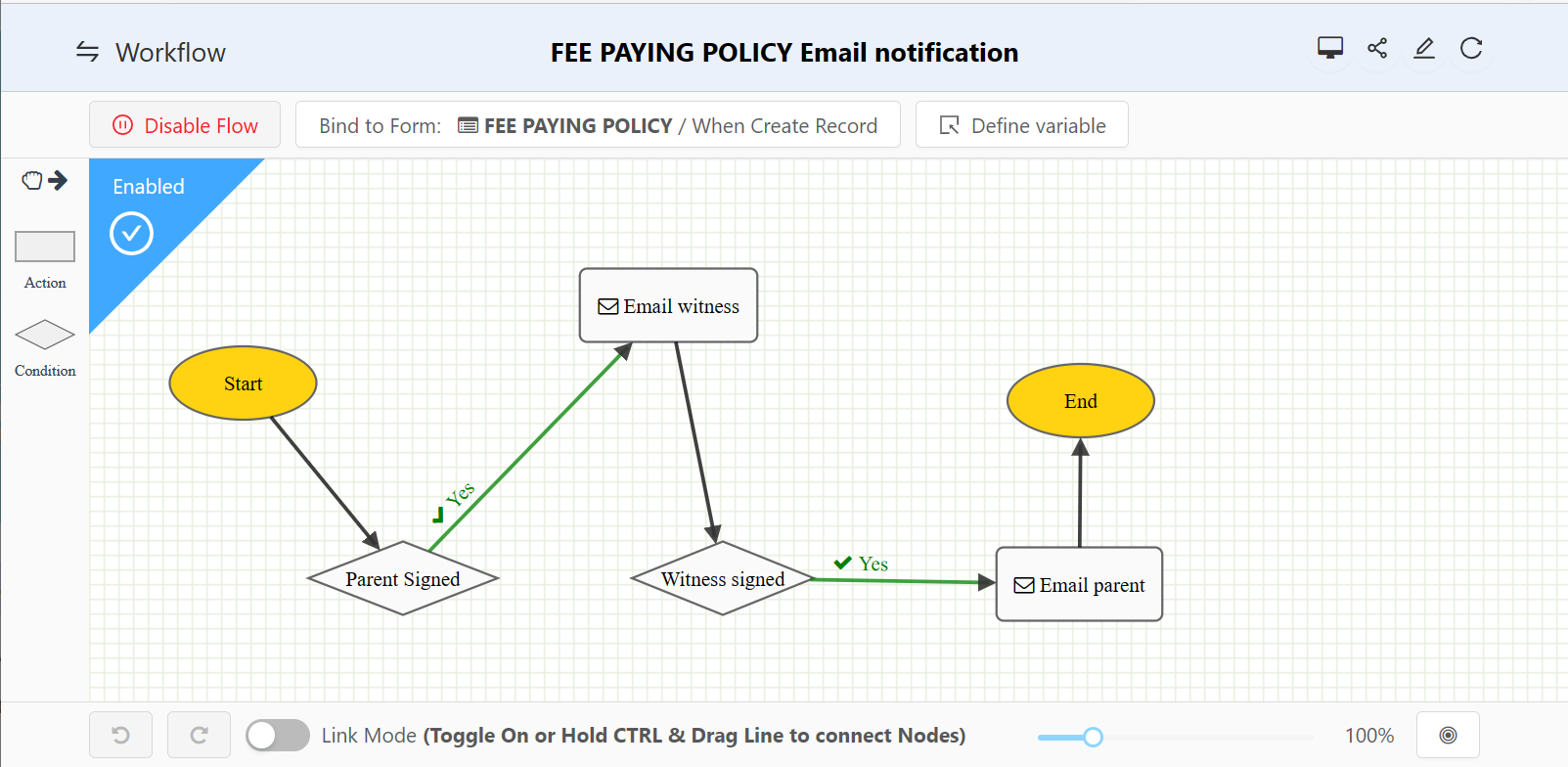
CubeDrive also provides workflows that allow businesses to add actions dynamically as needed, such as signature email notifications, automatic form data updates, and scheduled jobs.
Pre-Authorized Debit Agreement
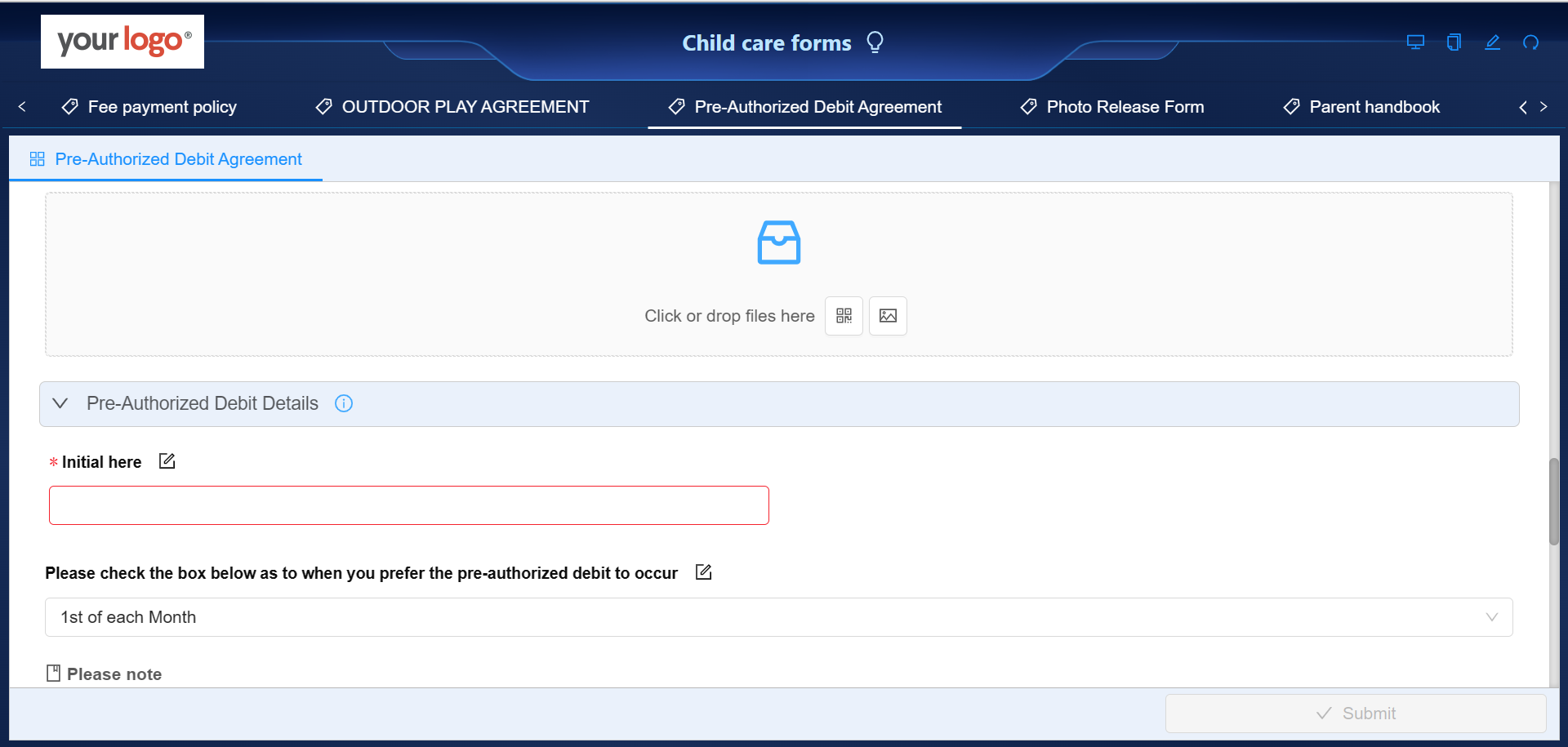
CubeDrive allows childcare centers to dynamically create Pre-Authorized Debit Agreements with the following information.
- Account Holder's Information: The name and contact information of the person who holds the bank account.
- Child's Information: The name of the child or children for whom the service is provided.
- Banking Information: Details of the account holder's bank, including the name of the bank, bank account number, and routing number (if applicable).
- Payment Details: Specifics about the payment, such as the amount to be deducted, the frequency of the deduction (weekly, bi-weekly, monthly, etc.), and the date when the first deduction will be made.
- Authorization: A statement indicating that the account holder authorizes the childcare center to deduct the specified amount from their account at the agreed frequency. This part of the form typically requires the account holder's signature and the date of signing.
Outdoor play agreement
CubeDrive allows childcare centers to dynamically create outdoor play agreements with the following information.
- Activities: This section provides a brief description of the types of outdoor activities offered by the childcare center. This could range from free play in the playground to organized sports or nature walks.
- Safety Measures: The agreement outlines the safety measures that the childcare center implements during outdoor play. This could include staff supervision levels, safety equipment, the use of sunscreen and insect repellent, and protocols for dealing with accidents or injuries.
- Weather Policies: This outlines the childcare center's policies on outdoor play in different weather conditions.
- Parent's Responsibility: This section explains what parents are expected to provide, such as appropriate clothing for different weather conditions, and any additional items like hats, sunglasses, or special sunscreens due to allergies.
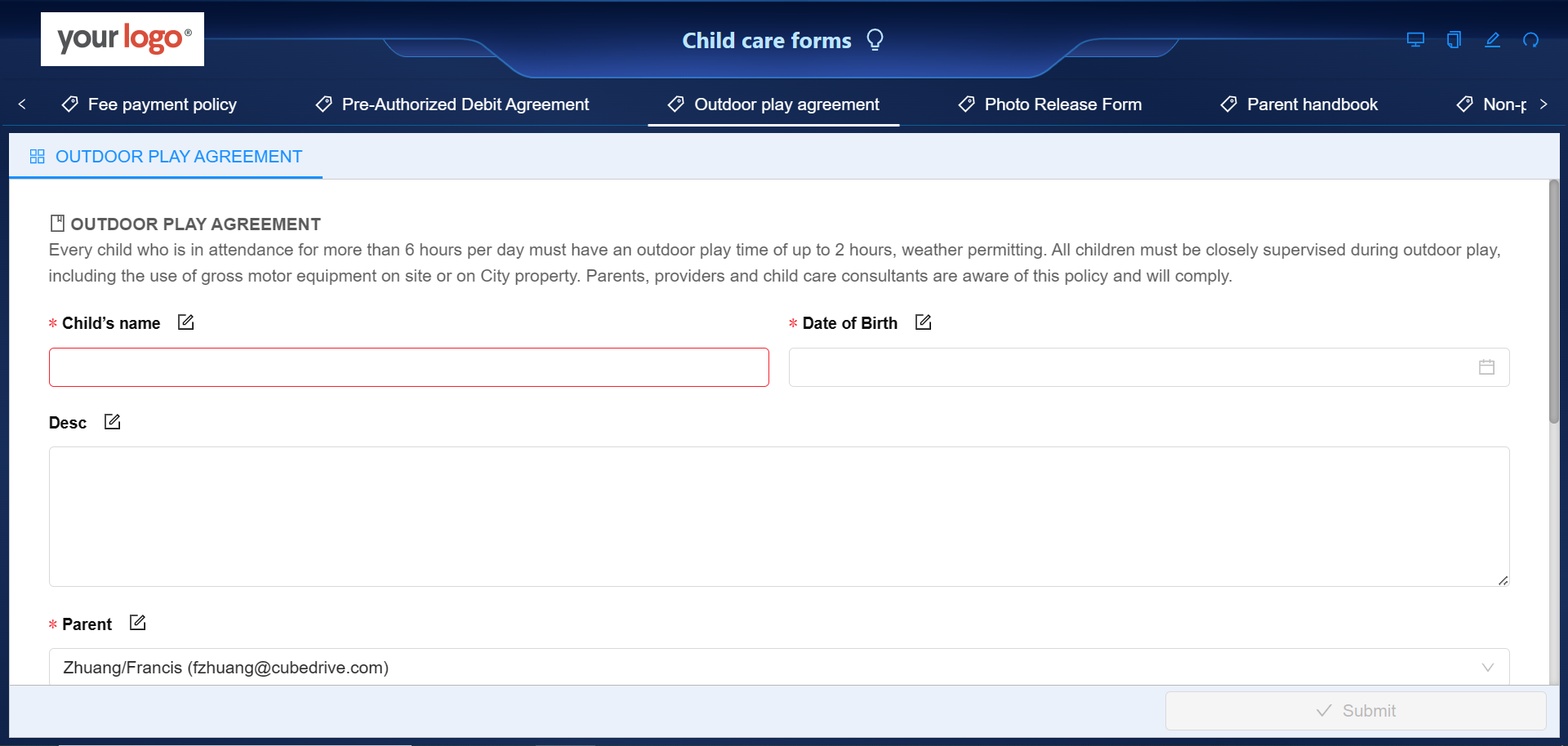
Photo release form
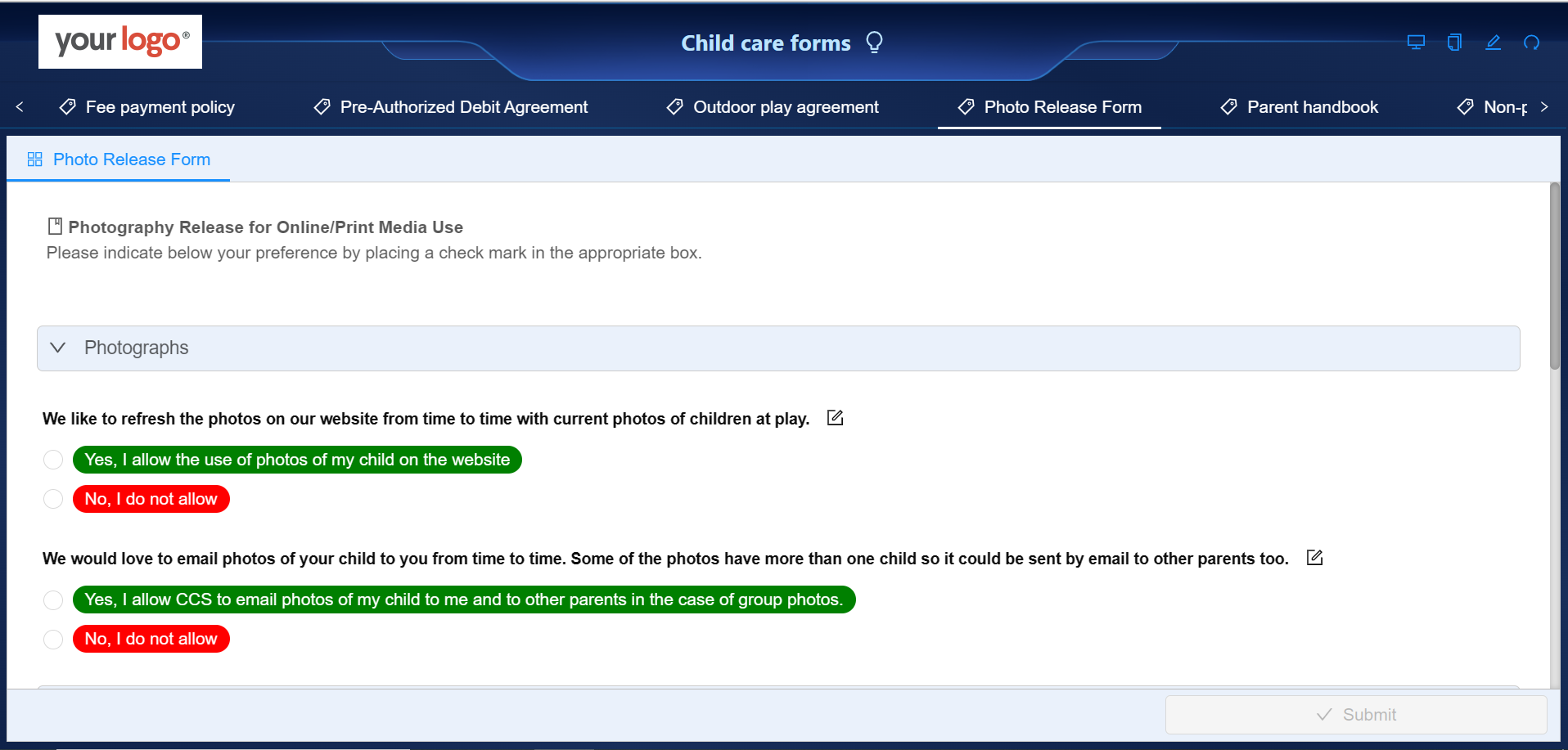
CubeDrive allows childcare centers to dynamically create photo release forms with the following information.
- Purpose of Photography: The agreement typically outlines why the childcare center may wish to photograph the child. Reasons may include documenting activities, creating mementos for families, or promoting the center in brochures, websites, or social media.
- Type of Usage: The agreement should clearly define how the photographs may be used.
- Revoking Consent: The agreement should explain how parents can revoke their consent if they change their mind later.
- Signature: The agreement should include a space for parents to sign and date, indicating their consent.
Parent consent form
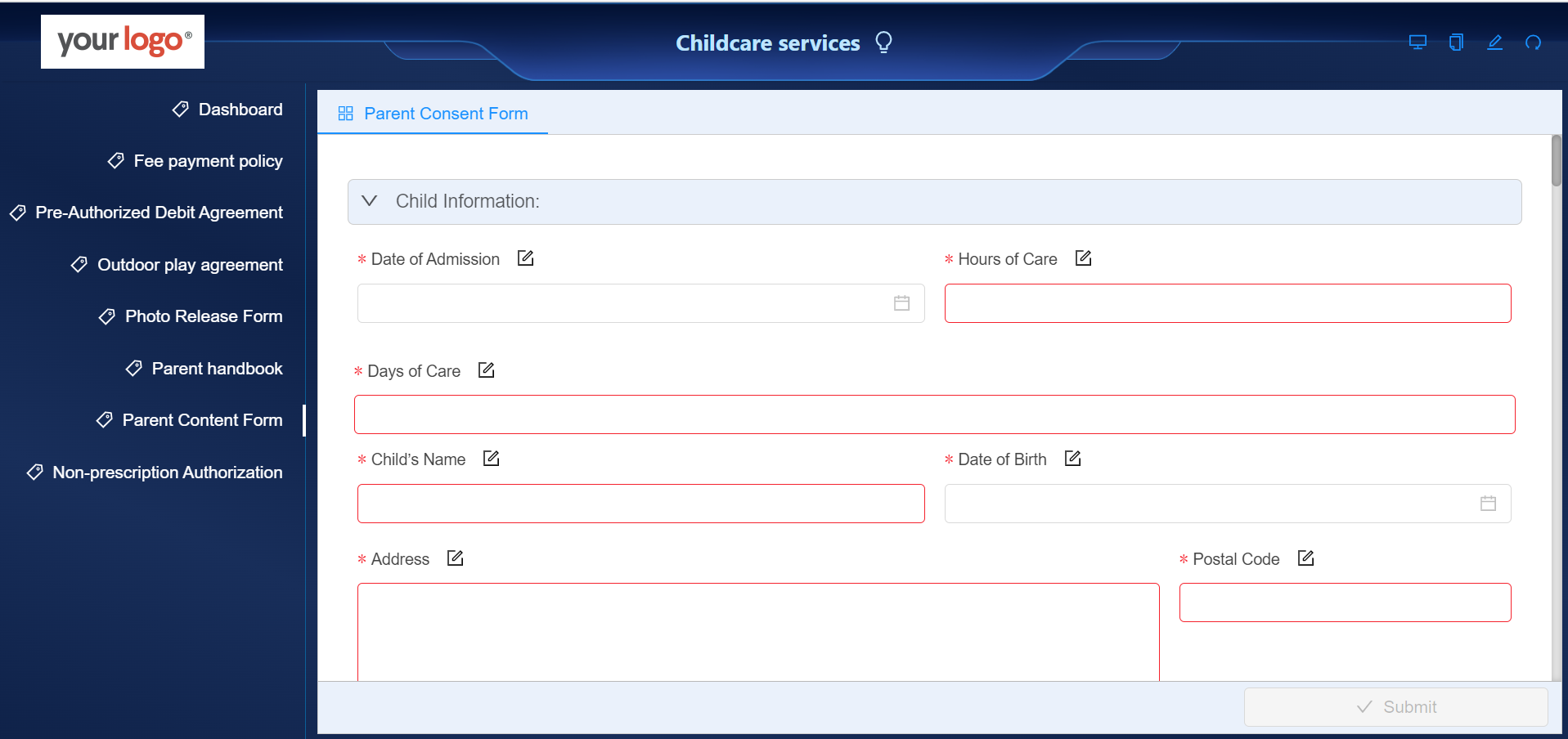
CubeDrive allows childcare centers to dynamically create parent consent forms with the following information.
- Parent/Guardian Details: This includes full name, consent for activities, emergency contact information, and related details.
- Medical Consent: This allows childcare providers to seek medical treatment for a child in case of emergencies.
- Pick-up Authorization: Names and contact details of people authorized to pick up the child from the childcare facility.
Parent self-register form
CubeDrive provides a self-registration form that allows parents to sign up for childcare services independently.
It's designed to collect necessary information about the child, the parents or guardians, emergency contacts, and any other relevant details required for the child's care and safety.
In CubeDrive, the Parent Self-Registration Form is filled out online, giving parents an efficient way to enroll their children and helping childcare centers manage intake records.
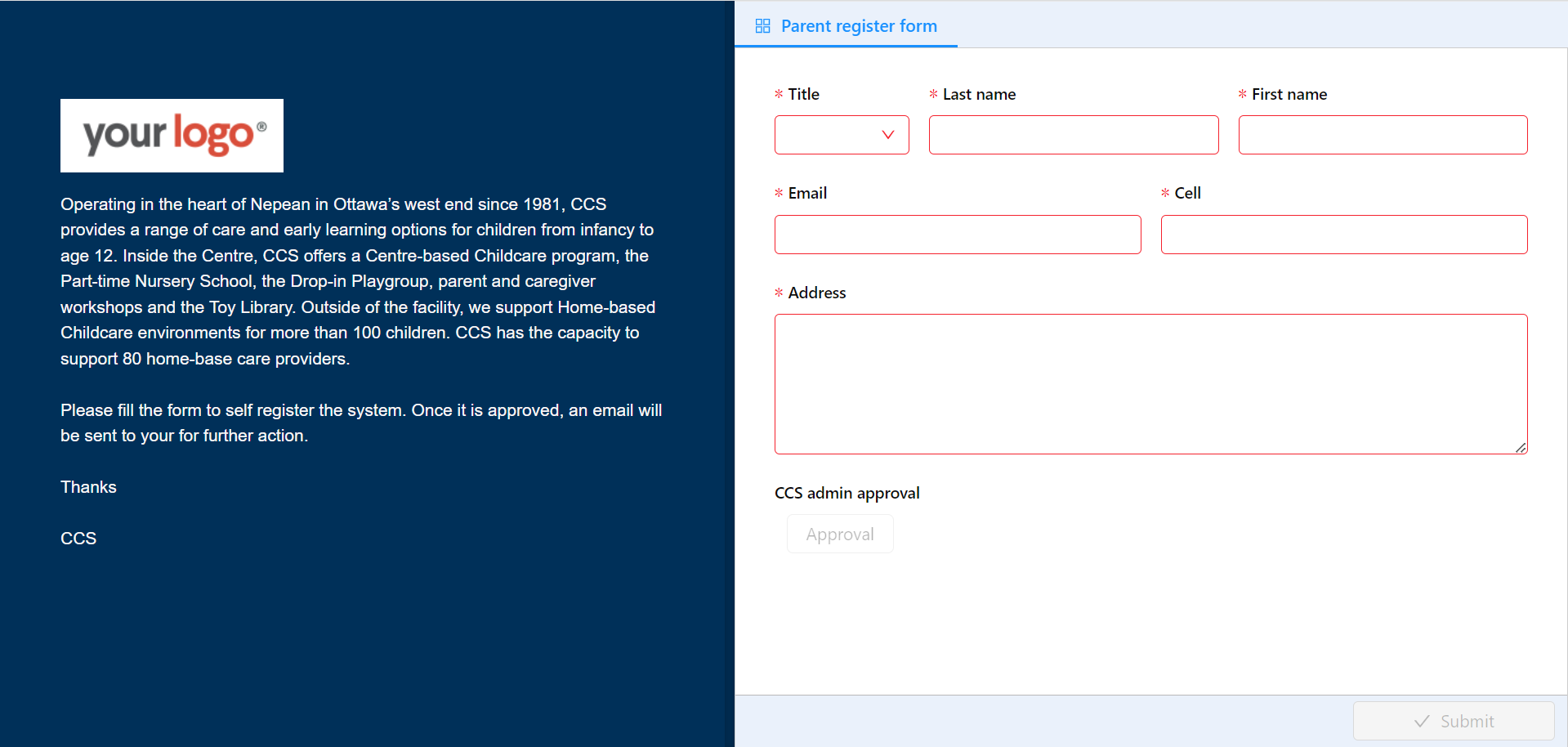 Tip: Click the link to view the example self-registration form. Once parents complete this form, they will be automatically added to the childcare organization for further actions.
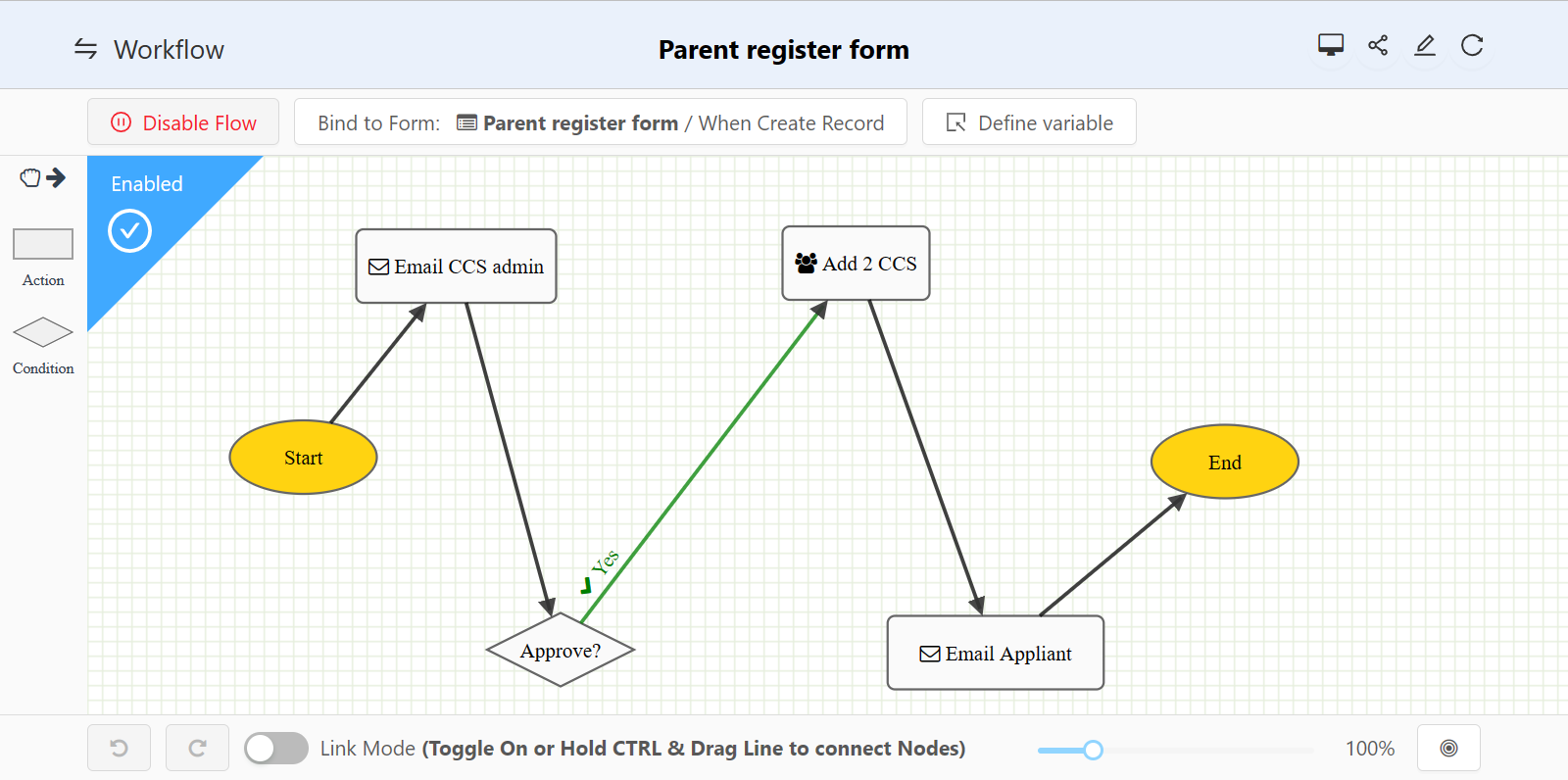
A custom workflow is linked to this form, as shown below.
Data analysis
CubeDrive provides tools for businesses to analyze their existing data.
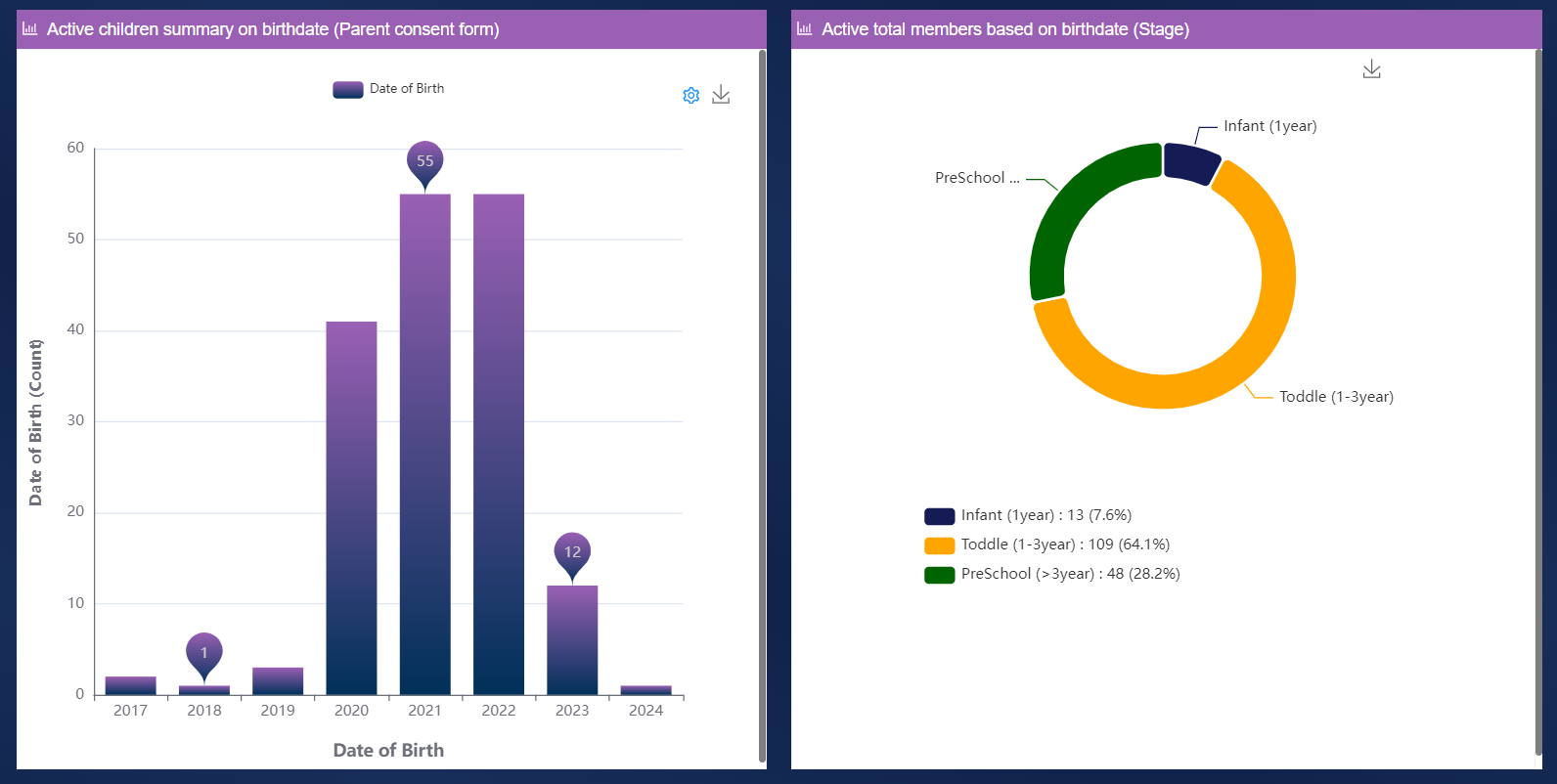
- Data summary: This is a summary report generated from the data collected through forms. It can show overall trends, patterns, and other important insights.
- Chart: This visual representation of form data makes it easier to understand and interpret the data. Charts can be line graphs, bar charts, pie charts, etc.
- Top records in form: This feature provides a quick overview of the top-performing or most common entries in the form data.
- Statistical chart: A statistical chart is a graph or diagram that allows you to visually represent statistical data. It helps identify patterns, trends, and outliers.
- Inner HTML editor: This feature allows you to edit HTML content within the platform. It can be useful for customizing reports, dashboards, and other visual elements.
- Project plan: This resource helps in planning, organizing, and managing projects. It can help track progress, manage tasks, allocate resources, and more.
- Pivot table: A customized pivot table helps childcare services analyze and organize their data efficiently.